Desk Mats for Small Desks: Sizes Compared by Width and Depth
Pick a desk mat from your own usable width and depth. Compare six cloth, PU leather and cork mats, from small mouse pads to near full-width pads, by size.
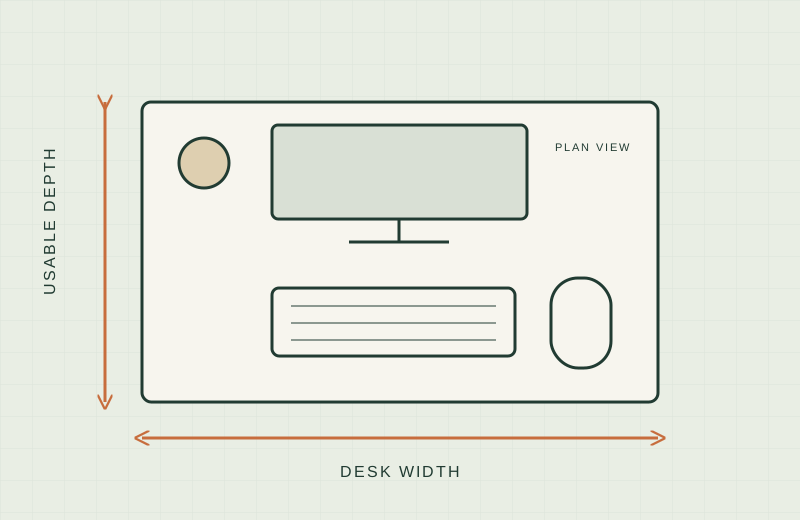
On a small desk, a mat that is too big hangs over the edge or runs into the monitor stand. One that is too small leaves your mouse sliding off onto bare wood. The right size is mostly arithmetic with your own tape measure, so it pays to measure before you look at any product page.
We have not tested these mats hands-on; this comparison is built from published specifications. Check the current listing before buying.
Below are six mats from six brands, covering a small mouse pad up to a pad nearly as wide as many compact desks. Where a number is missing, the table says “not stated”. Availability was checked on Amazon.com on 18 November 2026 and can change.
A quick sizing method
Use your own numbers. Our guide to measuring a small desk covers the full method; for a mat you need four figures.
- Usable width. Measure the desk edge to edge, then subtract anything that blocks the surface, such as a clamp, a lamp base or a monitor arm base.
- Usable depth. Measure from the front edge to the monitor stand’s front foot or the wall, whichever comes first.
- Input zone. Lay your keyboard on the desk, put your mouse where you actually use it, and measure the total width and depth they cover. If you use a compact board, our guide to compact keyboards shows how much width that can save.
- Mouse sweep. Move the mouse through its normal range and measure that area too.
Then compare. A “mouse zone” mat only needs to cover the sweep. A “keyboard and mouse” mat needs to cover your full input zone. A “full desk” mat needs to be no wider and no deeper than your usable width and depth. If a listed size is bigger than either usable measurement, it will overhang or collide with something, so rule it out.
Remember that listed sizes are nominal. Check whether the page shows inches or millimetres, and leave a little room for the mat to sit flat.
Comparison table
| Mat | Size (W x D) | Thickness | Material | Edge stitching | Source |
|---|---|---|---|---|---|
| SteelSeries QcK+ | 320 x 270 mm (about 12.6 x 10.6 in) | Not stated | Cloth with rubber base | Not stated | Amazon listing |
| Aothia dual-sided desk pad, 25.6 x 13.7 in | 25.6 x 13.7 in | 0.08 in | PU leather and cork | Not stated | Amazon listing |
| Logitech Studio Series Desk Mat | 27.5 x 11.8 in (70 x 30 cm) | Not stated | Recycled polyester cloth, rubber base | Flat-stitch, anti-fray edges | Amazon listing |
| YSAGi dual-sided desk pad, 31.5 x 15.7 in | 31.5 x 15.7 in | Not stated | PU leather and cork | Not stated | Amazon listing |
| Amazon Basics extended mouse pad | 35.5 x 16.88 in | 0.13 in | Cloth over rubber | Not stated | Amazon listing |
| Razer Gigantus V2 XXL | 940 x 410 mm (37 x 16.14 in) | 4 mm (0.15 in) | Micro-weave cloth on foam | Not stated | Razer product page |
Note that the Amazon Basics title says 16.7 x 35.7 in while its bullet says 35.5 x 16.88 in, so treat it as roughly 35.5 to 35.7 in wide and confirm on the listing. The Logitech listing title says 28 x 12 in, while its description gives 11.8 x 27.5 in. Where figures conflict, we use the more specific description.
Worth shortlisting if / skip if
SteelSeries QcK+
Worth shortlisting if you only need a mouse zone and your keyboard sits on bare desk. At 320 x 270 mm it is the smallest option here, so it suits a very shallow desk. Skip if you want a surface under the keyboard, or you use big sweeping mouse movements. Thickness is not stated on the Amazon page.
Aothia dual-sided pad, 25.6 x 13.7 in
Worth shortlisting if you want a compact keyboard-and-mouse surface with a choice between PU leather and cork sides. It is a thin 0.08 in. Skip if you have a full-size keyboard plus a numpad and need width, or if you want listed edge stitching, which is not stated.
Logitech Studio Series Desk Mat
Worth shortlisting if your keyboard and mouse together are under about 27 in wide and you like a cloth surface with a stated stitched edge. The listing says it has an anti-slip rubber base and is spill-repellent. Skip if you need a thickness figure before ordering, since none is on the Amazon page.
YSAGi dual-sided pad, 31.5 x 15.7 in
Worth shortlisting if you want the PU leather and cork look at a middle size, and your desk is at least that deep after you subtract the monitor stand. The listing offers several larger sizes too. Skip if your usable depth is under 16 in, or you need thickness and edge details, which are not stated.
Amazon Basics extended mouse pad
Worth shortlisting if you want a cloth pad around 35.5 in wide that can hold a keyboard and mouse together. The listing states 0.13 in thickness and says it is machine washable. Skip if your usable width is under about 36 in, or if the title and bullet size mismatch bothers you.
Razer Gigantus V2 XXL
Worth shortlisting if your desk is wide enough for a 37 in mat and you want a thicker foam-backed surface, at 4 mm. Razer publishes size and thickness in a table. Skip if your desk is under 37 in wide or 16.2 in deep, since it would overhang.
When a desk mat is the wrong choice
A mat adds nothing if your real problem is space. If the desk is already crowded, covering it does not make more room. A mat can also hide a desk edge that has a lip or clamp, and a thick mat can change how your wrist meets the desk edge. If you rely on a clamp-on keyboard tray, the mat should fit the tray surface, not the desk. In those cases, look at our guide to measuring a small desk first and decide what needs to move.
What not to buy
- A mat wider than your usable width. It will hang over an edge and slide.
- A size picked from a category label such as “XL” or “extended”, which varies by brand. Always compare W x D in inches or millimetres.
- A mat with no size listed at all, or sizes that conflict across the page.
- A leather or cork pad if you need a precise gliding surface and the listing says nothing about its mouse surface. Read the text and return policy.
Related guides
Sources
- Razer Gigantus V2 dimensions: https://www.razer.com/gaming-mouse-mats/razer-gigantus-v2
- SteelSeries QcK+ listing: https://www.amazon.com/dp/B004DCLJ6A
- Logitech Studio Series Desk Mat listing: https://www.amazon.com/dp/B09DV8WKK8
- Aothia pad listing: https://www.amazon.com/dp/B0CQTHFF5P
- YSAGi pad listing: https://www.amazon.com/dp/B0BWGWKNJY
- Amazon Basics extended mouse pad listing: https://www.amazon.com/dp/B06X19FLTC