Compact Keyboards for Small Desks: 60%, 75% and TKL Compared
Seven keyboards from full-size to 60% compared by published width, depth, layout and connection, so you can free up mouse room on a small desk.
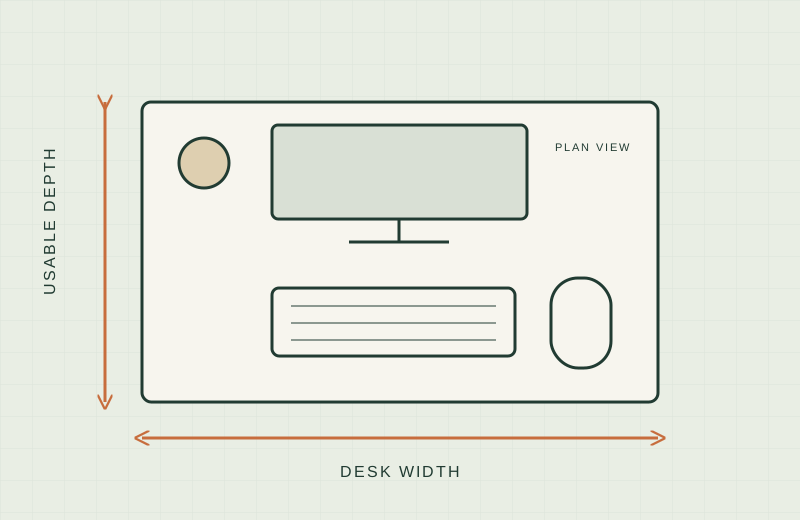
We have not tested these keyboards hands-on; this comparison is built from manufacturer pages and Amazon listings. Check the current listing before buying.
On a small desk, the keyboard sets how much room your mouse gets. A full-size board with a number pad can take more than 16 inches of a 40 or 48 inch desk, and your mouse hand ends up squeezed against the monitor stand or the desk edge. A smaller layout hands that width back. This guide explains the common layout sizes and compares seven keyboards by their published dimensions. Where a number comes only from the Amazon listing, we say so. Where nothing is published, we write “not stated”.
What to measure first
Our walkthrough is in how to measure a small desk. For keyboards, you need three numbers:
- Free width between your monitor stand (or arm base) and the desk edge, with room for a mouse and about a hand’s width of space beside it.
- Free depth in front of the monitor. Keyboards here run from roughly 4 to 6 in deep, before any wrist rest.
- Tray width and depth, if you use a keyboard tray. See our clamp-on keyboard trays guide. The trays there are 8.3 to 11 in deep, so every keyboard below fits front to back, but a 25.6 in tray is tighter for a full-size board with a mouse beside it.
Layout sizes and what you lose
Percent names are shorthand, and makers use them loosely. Use the stated width, not the label.
- Full-size: every key, including the number pad. Nothing is lost, but it is the widest option.
- TKL (tenkeyless): drops the number pad. You keep the function row, arrows and the navigation block (Home, End, Page Up, Page Down).
- 75%: squeezes the function row, arrows and a few navigation keys into a compact block with no gaps. You lose the number pad and some of the standalone navigation keys.
- 65%: removes the function row but keeps arrow keys and a few navigation keys. We did not find a 65% keyboard with a verifiable in-stock listing for this guide, so none is in the table.
- 60%: removes the number pad, function row, navigation block and, on most models, dedicated arrow keys. Those functions move to a Fn layer, which means key combinations for things like arrows and F-keys.
If you do spreadsheets all day, the number pad matters. If you mostly write and browse, a TKL or smaller board usually covers the keys you reach for.
Keyboards compared
| Keyboard | Layout | Connection | W x D x H (in) | Source |
|---|---|---|---|---|
| Apple Magic Keyboard with Numeric Keypad | Full-size | Bluetooth | 16.48 x 4.52 x 0.1 (height as listed, not a full profile) | Amazon listing |
| Logitech G PRO X TKL Rapid | TKL | Wired USB-C | 14.06 x 5.91 x 1.5 | Amazon listing |
| Razer BlackWidow V4 75% | 75% | Wired (listing for this version) | 12.64 x 6.12 x 1.52 | Amazon listing |
| Logitech MX Mechanical Mini | Compact, no number pad | Bluetooth or Logi Bolt receiver | 12.31 x 5.18 x 1.03 | Logitech product page |
| Logitech MX Keys Mini | Compact, no number pad | Bluetooth | 11.65 x 5.19 x 0.83 | Logitech product page |
| Razer Huntsman Mini | 60% | Wired USB-C | 11.56 x 4.07 x 1.45 | Amazon listing |
| Logitech Pebble Keys 2 K380s | Compact, no number pad | Bluetooth | 10.98 x 4.88 x 0.63 | Amazon listing |
Width saved against the Apple full-size board: about 2.4 in for the G PRO X TKL, 3.8 in for the BlackWidow V4, 4.2 in for the MX Mechanical Mini, 4.8 in for the MX Keys Mini, 4.9 in for the Huntsman Mini and 5.5 in for the K380s. The Razer 75% listing mentions a wrist rest, and the listing does not say whether the dimensions include it, so check before relying on the depth. Logitech labels its dimensions with height and depth swapped on some pages; we converted the figures to width, depth and height above.
Per-keyboard notes
Apple Magic Keyboard with Numeric Keypad
- Worth shortlisting if: you need a number pad and want the shallowest full-size board here at 4.52 in deep, which helps on a shelf-depth desk.
- Skip if: width is your problem. At 16.48 in it is the widest keyboard in the table.
- Worth shortlisting if: you want to keep the navigation block and arrows but gain about 2.4 in of mouse room. The connection is a detachable USB-C cable.
- Skip if: you want wireless. The listing describes it as wired.
- Worth shortlisting if: you want arrows and a function area in a 75% footprint, with a stated width of 12.64 in.
- Skip if: depth is tight. At 6.12 in it is the deepest keyboard here, and the listing shows other versions with different connection types, so confirm the exact version.
- Worth shortlisting if: you want a compact wireless board that can connect by Bluetooth or the Logi Bolt receiver, with Logitech’s page listing 12.31 in width.
- Skip if: you need a thin profile. At 1.03 in it is thicker than the MX Keys Mini.
- Worth shortlisting if: you want a narrow Bluetooth keyboard under 12 in wide and under 1 in tall, per Logitech’s page.
- Skip if: you want a 60% label to compare against. Logitech does not state a percentage layout, so compare by width.
- Worth shortlisting if: depth is the constraint. At 4.07 in deep it is the shallowest board here, and 11.56 in wide.
- Skip if: you use arrows and F-keys constantly. A 60% layout puts them on a Fn layer, and the connection is a wired USB-C cable.
- Worth shortlisting if: you want the narrowest board in this table, at 10.98 in wide and 0.63 in tall per the listing.
- Skip if: you want a Logitech manual to verify against. The numbers here are from Amazon only, and the page also lists other keyboards in a comparison table.
When a compact keyboard is the wrong choice
- Heavy number entry. Accounting, data entry and spreadsheets all want a number pad. A separate USB number pad adds width back.
- Shortcut-heavy software. Editing and CAD programs use function and navigation keys that a 60% layout moves behind a Fn key.
- A desk that is already wide enough. If you have 30 in of free width, a smaller keyboard gains you little.
Compare with other fixes first: a laptop stand or clamp-on cable tray can free space without changing your keys.
What not to buy
- A board with no published dimensions. “Compact” is not a measurement.
- A keyboard chosen by percent label alone. A 75% board from one maker can be wider than a compact board from another.
- A wireless keyboard when you need a wired link, or the reverse. Read the connection line in the listing.
- A keyboard wider than your tray once the mouse is beside it.
OSHA’s computer workstation guidance is a neutral reference for keyboard and mouse placement; we make no medical claims.
Sources
- Logitech MX Keys Mini product page: https://www.logitech.com/en-us/shop/p/mx-keys-mini.920-010475
- Logitech MX Mechanical Mini product page: https://www.logitech.com/en-us/shop/p/mx-mechanical-mini.920-010550
- OSHA computer workstations eTool: https://www.osha.gov/etools/computer-workstations
- Amazon listings (checked 2026-11-18): the seven product links above.