Clamp-On Keyboard Trays for Small Desks: Depth and Clearance
Six clamp-on keyboard trays compared by desk thickness limit, tray size, slide travel and under-desk clearance, for shallow desks without drilling.
We have not tested these trays hands-on; this comparison is built from manufacturer pages and Amazon listings. Check the current listing and manual before buying.
On a shallow desk, the keyboard and mouse eat the depth you need for a monitor, notes and a laptop. A clamp-on tray moves the keyboard and mouse below the desktop, so the surface stays clear and your eyes can sit farther from the screen. Clamp-on models grip the desk edge with C-clamps, so no holes are needed in most cases.
The catch is that a tray trades desktop depth for a different set of limits: how thick the desk edge is, how wide the whole assembly is, and how much room sits under the desk. This guide compares those limits. Where a number comes only from the Amazon listing, we say so. Where nothing is published, we write “not stated”.
What to measure first
Measure at the exact spot where the tray will sit. Our walkthrough is in how to measure a small desk, and for a tray you need four numbers:
- Edge thickness at the front, including any lip. Most clamps here max out between 1.25 and 1.9 in.
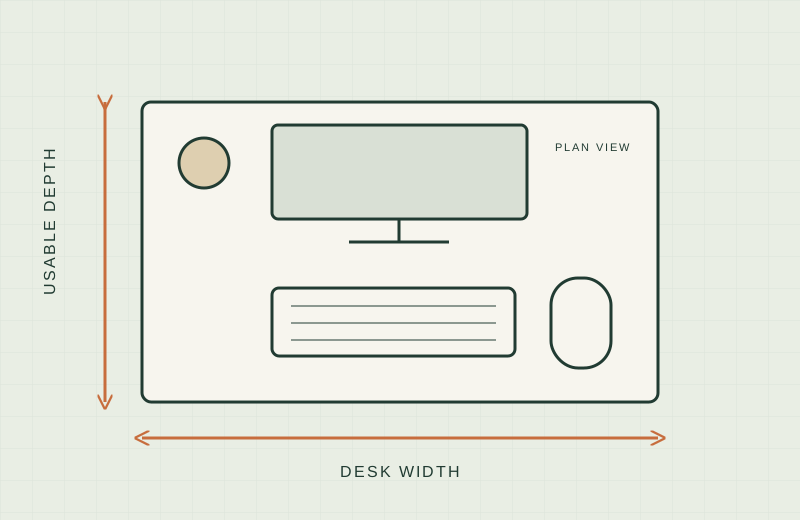
- Clear width. The clamps sit outside the tray, so a “27 in” tray can be about 32.5 in across. Measure the full footprint.
- Underside obstructions. Drawers, crossbars, aprons and bevels block most clamp trays. Several listings say they are not compatible with beveled edges.
- Knee and thigh clearance between the desktop and your lap, since a tray hangs a few inches below the top.
OSHA’s computer workstation guidance is a neutral reference for keyboard height; we make no medical claims.
Clamp-on trays compared
| Tray | Edge thickness | Tray size (clamp span) | Slide travel | Height / tilt | Under-desk clearance | Source |
|---|---|---|---|---|---|---|
| VIVO MOUNT-KB08V | Up to 1.75 in | 26.8 x 11 in (32.5 in) | 8.6 in, 165 degree swing | 12 height steps, 2 to 6.5 in below desktop; tilt not stated | Tray hangs 2 to 6.5 in below desktop | VIVO product page |
| VIVO MOUNT-KB05E | Up to 1.25 in | 26.8 x 11 in (32.5 in) | Up to 8.5 in | None stated | Not stated | Amazon listing |
| VIVO MOUNT-KB10C (corner desk) | 0.5 to 1.25 in | 26.8 x 11 in (32.5 in) | 8.5 in | Swiveling clamps; no tilt stated | Tray sits 1.5 to 2.75 in below desktop | VIVO product page |
| Mount-It! 30 in Clamp Tray | 0 to 1.77 in | 30 in wide (36 in with clamps); depth not stated | Not stated | Not stated | At least 12 in underneath (Amazon listing) | Mount-It! MI-7181 page for width and thickness; clearance from Amazon listing |
| XINLEI 25.6 in Clamp Tray | Up to 1.63 in | 25.6 x 11.8 in (30 in) | Pull out 7.75 in | None stated | Total height 4.45 in; 2.4 in with the screw option | Amazon listing |
| AX WABER AX01WB01 | Up to 1.9 in | 27.3 x 8.3 in (32.5 in) | 5.7 in | None stated | Not stated | Amazon listing |
Capacity is 11 lb on every tray (Amazon listing for XINLEI is not stated). We could not confirm the Mount-It! Amazon item is the MI-7181 model, so confirm that before relying on the maker page. The AX WABER is the shallowest tray here at 8.3 in.
Per-tray notes
- Worth shortlisting if: you want the only tray here with a published height adjustment (12 steps, 2 to 6.5 in below the desktop) and the tray can swing out of the way.
- Skip if: your edge is thicker than 1.75 in or beveled, or you need a published tilt range. None is stated.
- Worth shortlisting if: your desk is a standard thin top (1.25 in or less) and you want a simple slide-out platform with up to 8.5 in of travel.
- Skip if: your desk is thicker, or has a beveled edge. The listing says it is not compatible.
- Worth shortlisting if: you have an L-shaped desk. The clamps swivel for corner placement, and VIVO states the tray sits 1.5 to 2.75 in below the desk surface.
- Skip if: your desk is not corner-shaped; the KB08V gives more height adjustment. Also skip it for tops over 1.25 in.
- Worth shortlisting if: you need the widest tray in this group and a thickness range that starts at 0 in and reaches 1.77 in. The listing calls for at least 12 in of clearance under the desk.
- Skip if: your desk is barely wider than 36 in, since the clamps leave no margin, or you need a stated slide distance. It is not stated.
- Worth shortlisting if: you want a slightly narrower footprint (30 in with clamps) and a screw-mount alternative for thicker tops. The listing gives a 2.4 in height clearance for that option.
- Skip if: you want a manufacturer manual to check against. Everything here is from the Amazon listing, and the listing itself says a thicker desktop means less keyboard clearance.
- Worth shortlisting if: your top is up to 1.9 in thick, the highest clamp limit in this table.
- Skip if: you type on a full keyboard with a wrist rest. The 8.3 in tray depth and 5.7 in extension are the smallest here.
Depth and clearance: reading the table
A clamp tray does not add desktop depth; it takes the keyboard off the desktop. Slide travel matters because the tray must come out far enough to clear your chair.
Clearance is the number most listings skip. Two of the six publish nothing about it, so check the mounting height against your seated knee and thigh position. If the manual asks for a minimum gap under the desk, treat it as a requirement.
When a clamp tray is the wrong choice
- Glass, thin veneered or hollow-core tops. Many makers advise against clamping to them. Follow the manual’s material warnings.
- Beveled or rolled edges. Several listings state they are incompatible.
- Desks with a drawer, apron or crossbar behind the front edge. The clamp and slides need open space.
- Very narrow desks. If the clamp span is nearly as wide as the desk, you lose the margin. Our clamp-on cable tray guide covers a similar clearance check.
What not to buy
- A tray that does not publish a desk thickness limit. “Fits most desks” is not a spec.
- A clamp rated right at your desk thickness. Leave margin for pads and finish.
- A tray wider than your desk once clamps are added.
- A tray for heavy gear. Listings here state 11 lb or less; defer to each manual for load limits.
Before you commit
If you are also planning your monitor position, read monitor arm vs riser, and for laptops see laptop stands for small desks.
Sources
- VIVO MOUNT-KB08V product page: https://vivo-us.com/products/mount-kb08v
- VIVO MOUNT-KB10C product page: https://vivo-us.com/products/mount-kb10c
- Mount-It! MI-7181 product page: https://www.mount-it.com/products/clamp-on-keyboard-tray-30-x-11
- Amazon listings (checked 2026-11-18): the six product links above.