Laptop Stands for Small Desks: Footprint and Height Compared
A spec-based look at seven laptop stands and holders: how much desk depth and width each uses, how high it lifts the screen, and whether it adjusts or folds.
We have not used these stands hands-on; this comparison is built from published specifications. Check the current listing before buying.
On a small desk, a laptop stand is a trade. It lifts the screen, but the base takes up space, and the space under the stand is only useful if your keyboard actually fits there. So the numbers that matter are footprint (width and depth), lift height, whether the height can change, and whether the stand folds away.
Many listings publish a height but not a base size. Where a number is missing, the table says “not stated” instead of guessing. Product details change, so treat everything here as a starting point.
Measure first
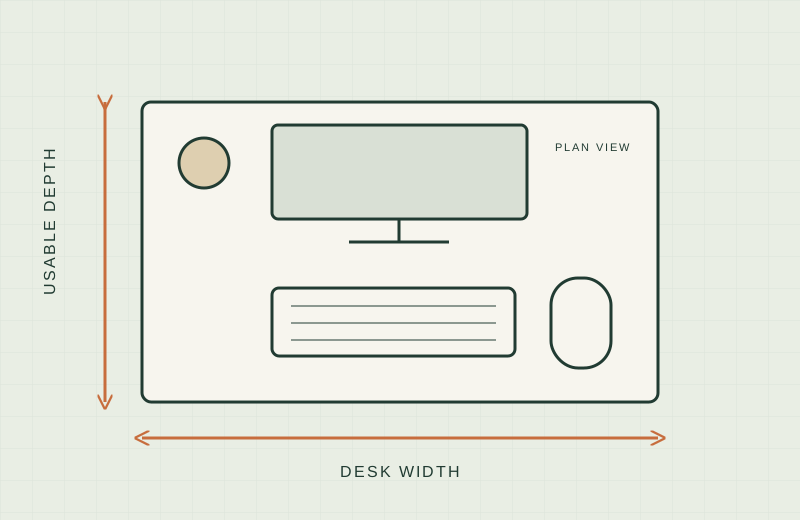
Before comparing anything, know your usable depth and width. Our guide to measuring a small desk walks through it. For a stand, three numbers matter: the depth from the desk edge to the wall, the width you can spare beside the keyboard, and the height of any shelf or window sill above the desk.
One ergonomics note. OSHA says the top line of the screen should be at or below eye level and the screen should sit about 20 to 40 inches from your eyes (OSHA monitor guidance). A raised laptop screen puts the built-in keyboard too high to type on comfortably, so plan on an external keyboard and mouse with any riser stand.
The comparison
Footprint and height below come from the manufacturer where we could find a manufacturer page, and otherwise from the Amazon listing.
| Stand | Type | Footprint (W x D) | Height | Adjustable | Source |
|---|---|---|---|---|---|
| Rain Design mStand | Fixed aluminum | 10 x 7.5 in | 5.9 in | No | Manufacturer |
| Twelve South Curve | Fixed aluminum | 10.3 x 8.7 in | 5.8 in per Apple’s spec sheet; 6 in lift per Amazon | No | Apple Store spec sheet and Amazon listing |
| Roost V3 | Folding, adjustable | Not stated (folded: 1 x 1.5 x 13 in) | 6.5 to 12.5 in screen lift, 7 settings | Yes | Manufacturer |
| Amazon Basics folding stand | Adjustable, folding | Not stated (folded: 10 x 8.7 x 1.8 in) | Up to 7 in of adjustment | Yes | Amazon listing |
| BoYata height-adjustable riser | Adjustable, detachable | Not stated | 3.9 to 7.4 in | Yes | Amazon listing |
| Nulaxy dual-foldable stand | Adjustable, folding | Not stated | Not stated | Yes | Amazon listing |
| Vaydeer vertical stand | Vertical holder | Not stated | Not applicable (stores the laptop upright) | Slot width only | Amazon listing |
Stand by stand
Rain Design mStand
Rain Design mStand is the only stand here where the manufacturer states a clear base: 10 inches wide by 7.5 inches deep, 5.9 inches high, one fixed height.
Worth shortlisting if you want a known footprint and a laptop that stays parked. The Amazon listing says the front has a space to stash a keyboard, and it fits laptops with depths under 10.4 inches.
Skip if you need to change height or fold it away. It does neither.
Twelve South Curve
Twelve South Curve is a fixed, open-arm aluminum stand. Apple’s spec sheet for it lists 10.3 inches wide, 8.7 inches deep and 5.8 inches high. The Amazon listing says it lifts the laptop 6 inches.
Worth shortlisting if you want a fixed stand with a published depth, and you will use it beside an external keyboard.
Skip if you have under about 9 inches of spare depth, or need adjustability.
Roost V3
Roost V3 is the most flexible on lift. Roost lists seven height settings and a 6.5 to 12.5 inch screen lift. It folds to 1 x 1.5 x 13 inches and weighs 6 ounces. Roost does not state an unfolded base size, so check the listing or manual.
Worth shortlisting if your desk doubles as a dining table, or you need to tuck the stand into a drawer. The Amazon listing also recommends an external keyboard and mouse.
Skip if you want a wide solid platform. The Amazon listing says it fits laptops 12 to 18 inches, so check your model’s front edge.
Amazon Basics folding stand
Amazon Basics Laptop Stand is listed as height adjustable (up to 7 inches), foldable, and made for laptops of 10 to 15.6 inches. The listing gives a folded size of 10 x 8.7 x 1.8 inches. It does not give the open base size.
Worth shortlisting if you want a folding stand that stores flat and you only need adjustment in a limited range.
Skip if you need to know the exact open footprint before buying. Measure it against your depth first.
BoYata height-adjustable riser
BoYata Laptop Stand adjusts from 3.9 to 7.4 inches according to the listing, for 11 to 17 inch laptops. The listing’s comparison chart says it is detachable but not foldable.
Worth shortlisting if you want a lower minimum height, since 3.9 inches is the lowest raise in this group.
Skip if you need it to fold, or if the base size matters. It is not stated.
Nulaxy dual-foldable stand
Nulaxy Adjustable Laptop Stand is listed as adjustable, dual foldable, and compatible with 10 to 16 inch laptops. We could not find a height range or base size in the listing text we read.
Worth shortlisting if you want a folding adjustable stand and are willing to check the full spec table on the live listing.
Skip if you need numbers before you order. Two of our four key specs are “not stated” here.
Vaydeer vertical stand
Vaydeer Vertical Laptop Stand holds a closed laptop upright in dual slots. The listing says slot width adjusts for laptops between 0.59 and 0.94 inches thick. No footprint is stated.
Worth shortlisting if you use an external monitor and want the laptop closed and out of the way.
Skip if you use the laptop’s own screen. A vertical holder does not raise it.
Vertical stand vs riser stand on a small desk
A riser puts the laptop screen at a usable height, but it needs a base roughly the size of the laptop, plus an external keyboard in front. A vertical holder takes a narrow strip, and the laptop’s screen is off. That only works if a monitor is your main display.
If your desk is shallow, a vertical holder plus a monitor can take less depth than a riser plus a keyboard. If you want to see both screens, a riser is the only choice of the two. For deeper desks, you may be better off with a monitor on a riser or arm; see monitor arm vs riser.
What not to buy
- A stand with no stated base size when your depth is tight. Measure the open stand, not the folded one.
- A fixed stand if you share the desk and need to change height or put it away.
- Any riser if you will not add an external keyboard and mouse. Typing on a raised laptop keyboard is awkward.
- A stand sized only to your laptop’s screen diagonal. Check the laptop’s depth and front-edge thickness against the listing.
- A vertical holder as your only screen setup.
Sources
- Rain Design mStand product page
- Roost V3 product page
- Twelve South Curve tech specs on the Apple Store
- OSHA: Computer workstations, monitors
- Amazon.com listings for each linked stand, checked on 2026-11-18