Under-Desk Headphone Hooks and Clamp-On Storage Compared
Clear headphones, controllers and bags off a small desk without drilling. Compare six clamp and adhesive hooks by mounting type, desk thickness and stated load.
We have not tested any of these products hands-on. Everything below comes from the Amazon.com listings, so treat it as a shortlist to check against the seller’s own instructions.
A headset lying on a small desk costs you surface you do not have. A controller, a tote bag and a charging cable add up fast, and the headset band is often the first thing that gets knocked into a keyboard. A hook that clamps to the desk edge, or sticks under it, moves that clutter off the work surface without drilling a single hole.
What to measure first
Start with the desk itself. Our guide to measuring a small desk covers depth and width; for hooks you also need three more numbers:
- Edge thickness. Clamps list a range. Measure the actual edge, including any lip, apron or rail under it, because the clamp jaw has to reach flat material.
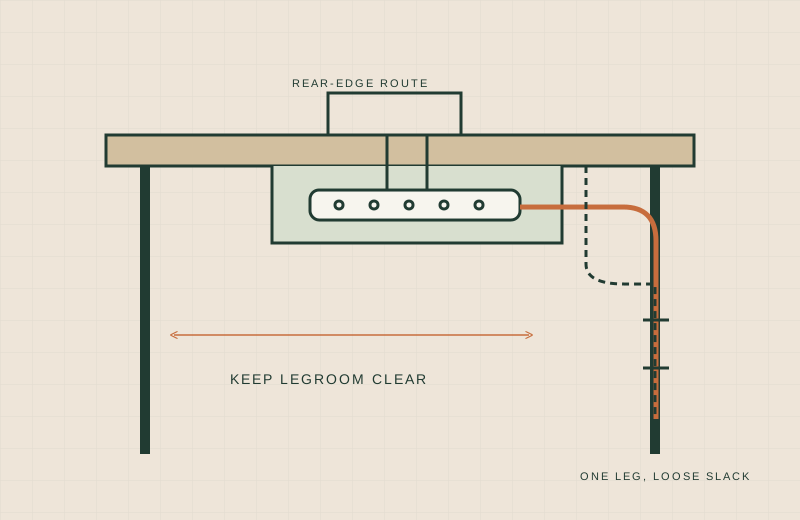
- Knee and leg clearance. OSHA’s desk guidance says the space under the work surface should stay clear so legs and feet can move. A hook hanging at knee height works against that, so pick a spot toward the rear corner or a side edge you do not sit against.
- Surface type. Adhesive holds depend on the surface being smooth, clean and dry. Textured, dusty, oily or painted surfaces can fail. Clamps depend on the desk being solid at the edge, so check hollow-core and thin glass tops with the manufacturer before relying on them.
Also weigh what you hang. A light headset and a backpack are very different loads.
Comparison
All specs are from the Amazon listing. “Not stated” means we did not find the number there.
| Product | Mounting | Desk thickness range | Hooks | Stated load | Source |
|---|---|---|---|---|---|
| VIVO Clamp-on Hook | C-clamp (desktop or desk leg) | 0.4 to 3.5 in | 1 | 33 lbs | Amazon listing |
| EURPMASK Rotating Headphone Stand | Spring clamp | 0.31 to 1.57 in | 1, rotating | Not stated | Amazon listing |
| Celerion Headphone Hook Under Desk Holder | Spring clamp | 0.47 to 1.57 in | 1, rotating | Not stated | Amazon listing |
| JAKO Aluminum Headphone Stand | Screw clamp | Not stated | 1 | Not stated | Amazon listing |
| Lamicall Sticky Headset Hanger | Adhesive tape | Not applicable | 1, folds with magnet | 500 g | Amazon listing |
| Lamicall Adhesive Rotatable Hanger | Adhesive tape | Not applicable | 1, dual rotating arm | 500 g (headphone load) | Amazon listing |
Product notes
VIVO Clamp-on Hook
The listing describes a 1.9 in steel hook with a C-clamp that mounts to a desktop or a desk leg, with padding to protect the furniture.
- Worth shortlisting if: you want to hang a bag or controller as well as headphones, since it is the only one here with a stated load (33 lbs), or you have a thick desk, since its range goes to 3.5 in.
- Skip if: you want a headphone-shaped cradle. It is a plain hook, so a headset band sits on a narrow point.
EURPMASK Rotating Headphone Stand
A spring clamp with a 360-degree swivel arm and a built-in cable clip, per the listing. The arm can turn to tuck the headset under the desk.
- Worth shortlisting if: your desk is standard thickness (up to 1.57 in) and you want to swing the headset out of the way.
- Skip if: you plan to hang anything heavier than headphones. No load is stated.
Celerion Headphone Hook Under Desk Holder
Very similar in format: spring clamp, rotating arm, curved edge with rubber pads and a side cable rack. The listing gives a 0.47 to 1.57 in range.
- Worth shortlisting if: you want the rotate-under-the-desk layout and your edge is at least about half an inch thick.
- Skip if: your top is thinner than 0.47 in, or you need a load rating.
JAKO Aluminum Headphone Stand
An aluminum hanger tightened with a screw clamp. The listing says it fits desks, shelves and monitors and can take a controller or small bag, but gives no thickness range or weight.
- Worth shortlisting if: you prefer a screw-tightened clamp you can adjust to the edge by feel.
- Skip if: you need to confirm fit before buying. With no stated range, measure and compare with the seller’s information first.
Lamicall Sticky Headset Hanger
An adhesive hanger with a magnet so the arm folds up flat when unused. The listing says to stick it to a smooth, clean, dry, oil-free surface, wait 24 hours before hanging a headset, and keep the total weight to 500 g.
- Worth shortlisting if: your desk edge is too thick or oddly shaped for a clamp, and the underside is smooth.
- Skip if: the underside is textured, painted or dusty, or your headset is heavy. Check your headset weight against the 500 g figure.
Lamicall Adhesive Rotatable Hanger
Double-sided tape mount with a dual rotating arm and a detachable silicone cable organizer. The listing repeats the smooth-surface and 24-hour wait notes and a 500 g maximum headphone load.
- Worth shortlisting if: you want an adjustable arm angle on a surface you have already checked.
- Skip if: you want to remove and reposition it often. Adhesive is not meant to be moved repeatedly.
When this is the wrong choice
- Your desk edge has a deep apron, drawer or rail. A clamp has nowhere flat to bite. Look at a tray instead, such as the options in clamp-on cable trays.
- You sit with your knees against that edge. Move the hook to a corner or rear edge, or skip it and use a wall or monitor-stand spot.
- The top is glass, hollow-core or very thin. Ask the manufacturer before clamping.
- You are storing many items. One hook per item adds clutter under the desk. Consider a single basket or tray.
If the real problem is cords rather than gear, start with our no-drill cable management guide.
What not to buy
- An adhesive hook for a heavy backpack. The adhesive listings here state 500 g, which is headphone weight.
- A clamp without checking the thickness range. A top outside the range will not seat properly.
- Any hook mounted where it hits your knees or shins.
- A second hook “just in case.” Decide where each item will live first.
For mounting and load, follow the manufacturer’s instructions for the specific item.
Sources
- OSHA eTools: Computer Workstations, Desks
- VIVO Clamp-on Hook (Amazon listing): https://www.amazon.com/dp/B0CSTCPCPP/
- EURPMASK Rotating Headphone Stand (Amazon listing): https://www.amazon.com/dp/B07BVK2FQW/
- Celerion Headphone Hook Under Desk Holder (Amazon listing): https://www.amazon.com/dp/B0CT5RVQQ1/
- JAKO Aluminum Headphone Stand (Amazon listing): https://www.amazon.com/dp/B0DK3F36M9/
- Lamicall Sticky Headset Hanger (Amazon listing): https://www.amazon.com/dp/B09TDG4T7G/
- Lamicall Adhesive Rotatable Hanger (Amazon listing): https://www.amazon.com/dp/B08N5QT8YR/