Vertical Laptop Docks for a Closed-Lid Desk Setup, Compared
Running a laptop closed beside an external monitor? We compare six vertical laptop holders by slot width, base footprint, slot count, material and weight.
We have not used these holders hands-on; this comparison is built from published specifications. Check the current listing before buying.
If your laptop only exists to feed an external monitor, the open laptop is wasted desk. Standing it upright, lid closed, beside the monitor can give back a strip of depth that a flat laptop or a riser stand would use. That is the whole pitch of a vertical dock.
It is also a narrow fit. The holder has to match your laptop’s thickness, and the base has to fit the corner or side space you have. Where a number is missing from the maker’s page or listing, the table says “not stated” instead of guessing.
What clamshell mode needs
Running a laptop closed is often called clamshell mode. In general you need an external display, an external keyboard and mouse, and usually power connected. Some laptops only support it under certain conditions, or need a wake step first. Check your laptop maker’s documentation for your model before you plan around it.
On heat and airflow, follow your laptop maker’s guidance on closed-lid use and ventilation. We make no cooling claims here, and a holder’s listing copy is not a substitute for that guidance.
Measure first
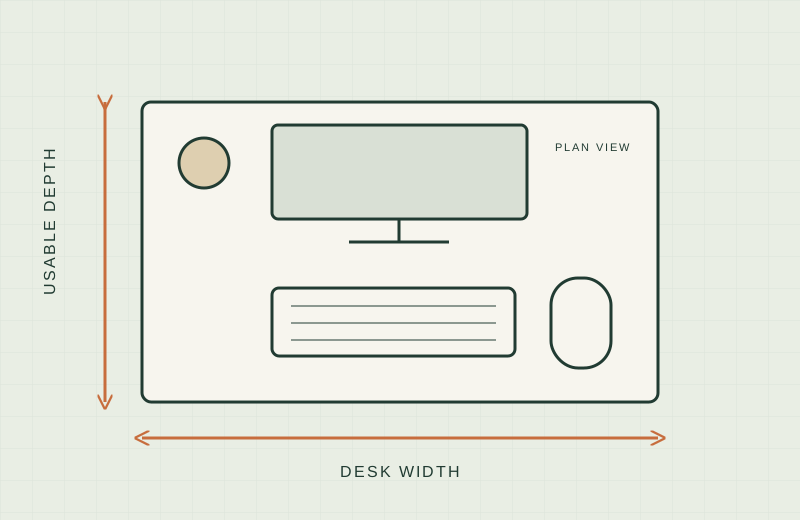
Our guide to measuring a small desk covers the basics. For a vertical dock, measure three things:
- Laptop thickness. Measure the closed laptop, including any case or skin, and compare it with the slot range.
- Spare floor space. The holder’s base is the footprint that costs you desk, so measure the corner or side gap you plan to use, and the cable reach to your ports.
- Monitor position. If the screen is on an arm, check clearance first; see monitor arms for thick desks.
The comparison
| Holder | Slot width | Slots | Footprint | Material, weight | Source |
|---|---|---|---|---|---|
| Twelve South BookArc Flex | Self-adjusting, laptops up to 1 in thick | 1 | 3.6 W x 8.43 L x 2.2 H in | Aluminum, 0.53 lb | Manufacturer |
| Rain Design mTower | Not stated | 1 | 4.5 W x 9.8 D x 3.5 H in | Aluminum, 1.44 lb | Manufacturer |
| HumanCentric Vertical Laptop Stand | Auto-grip, up to 1 in thick | 1 | 4.37 x 10.47 x 3.98 in (as listed) | Aluminum, 14 oz | Manufacturer (thickness), Amazon listing (size, weight) |
| HumanCentric Wood Vertical Stand | Adjustable, 0.5 to 1.5 in (screws underneath) | 1 | 5.59 x 9.76 x 2.8 in (as listed) | Walnut veneer and aluminum base, 1.43 lb | Amazon listing |
| OMOTON Dual Vertical Stand | Adjustable, 0.55 to 1.65 in | 2 | 5.91 x 4.72 x 1.85 in | Aluminum and silicone, 1.41 lb | Amazon listing |
| OMOTON 3-Slot Vertical Stand | Adjustable, 0 to 1.37 in | 3 | Not stated | Aluminum and silicone, weight not stated | Amazon listing |
Holder by holder
Twelve South BookArc Flex
Twelve South BookArc Flex is the smallest and lightest here: 3.6 inches wide, 8.43 inches long and 0.53 pounds, according to Twelve South. Two arcs close on the laptop’s own weight, with no inserts.
Worth shortlisting if your laptop is within its stated range and you want the least width on the desk.
Skip if you own a 16-inch laptop or a recent MacBook Air. Twelve South’s pages list different screen-size limits by region, and the Amazon listing says it is not recommended for the 16-inch MacBook Pro or M2/M3 MacBook Air models. Confirm your exact model first.
Rain Design mTower
Rain Design mTower is a one-piece aluminum holder. Rain Design lists 4.5 inches wide, 9.8 inches deep, 3.5 inches high and 1.44 pounds. It does not state a slot range on the page we read.
Worth shortlisting if you want a heavier single-piece base and your laptop is among the models the Amazon listing names.
Skip if you need a published slot width. The listing names compatible MacBook models rather than a thickness range.
HumanCentric Vertical Laptop Stand
HumanCentric Vertical Laptop Stand grips automatically; HumanCentric says it works for laptops up to 1 inch thick, with no tools. The Amazon listing gives 4.37 x 10.47 x 3.98 inches (the listing does not say which number is which) and 14 ounces.
Worth shortlisting if you swap laptops and do not want to turn a screw.
Skip if your laptop is thicker than 1 inch, or you need to know the exact length before measuring a short gap.
HumanCentric Wood Vertical Stand
HumanCentric Black Walnut Vertical Stand uses four screws underneath to set width, from 0.5 to 1.5 inches. The listing says it is weighted, with a felt lining. Size is 5.59 x 9.76 x 2.8 inches at 1.43 pounds, per the listing.
Worth shortlisting if your laptop sits near the thicker end, or you want wood instead of metal.
Skip if you want no-tool adjustment. It needs a hex key.
OMOTON Dual Vertical Stand
OMOTON Dual Vertical Stand has two slots with an adjustable width of 0.55 to 1.65 inches. The listing gives a 5.91 x 4.72 x 1.85 inch base and 1.41 pounds, though it also lists 690 g in its description, so recheck the weight on the live page.
Worth shortlisting if you have a laptop and a second device, such as a tablet or work laptop, to park, and the base is short enough for your space.
Skip if you only need one slot and want the smallest width.
OMOTON 3-Slot Vertical Stand
OMOTON 3-Slot Vertical Stand is the most capacious here. The listing says the width adjusts from 0 to 1.37 inches, and it states no base size or weight.
Worth shortlisting if you want to park several thin devices and can confirm the footprint from the live listing.
Skip if your desk is tight, since two key specs are not stated.
When a vertical dock is the wrong choice
- You use the laptop screen. A vertical holder does not raise the display. For that, see laptop stands for small desks.
- You want to type on the laptop. Clamshell mode needs a separate keyboard. A compact keyboard keeps that footprint small.
- You move the laptop several times a day. Each lift means unplugging cables.
- Your laptop maker does not support closed-lid use. Check the documentation first.
What not to buy
- A holder with no stated slot range if your laptop is in a thick case.
- A holder chosen only by laptop screen size. Thickness is the number that matters.
- A holder whose base size you have not compared with your gap.
- A tall, light holder if you plan to bump cables often. Check the maker’s guidance on stability.
Sources
- Twelve South BookArc Flex product page
- Rain Design mTower product page
- HumanCentric Vertical Laptop Stand product page
- OMOTON LD01 vertical stand (related single-slot model)
- Amazon.com listings for each linked holder, checked on 2026-11-18