Wall-Mounted Monitor Arms for a Desk Against the Wall
Compare six wall-mount monitor arms by reach, folded depth, weight limit and VESA, and learn who should skip drilling and choose a no-drill option instead.
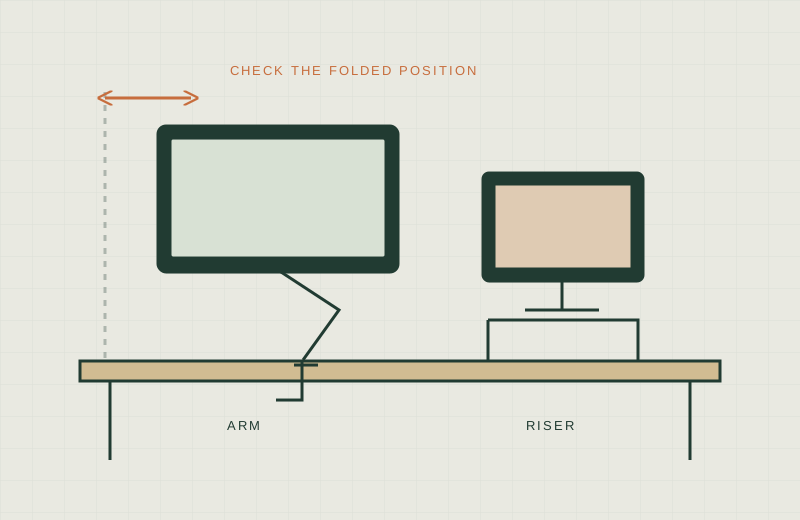
We have not tested any of these arms hands-on. This guide compares published specifications and listing details only, so treat it as a shortlist to check, not a verdict.
A desk pushed against a wall wastes the one thing a wall mount can give back: the space between the desk and the screen. A wall arm holds the monitor off the desktop, which frees depth for a keyboard and a small desk can feel less crowded. It also means drilling, so it is not for everyone.
What to measure first
Start with How to Measure a Small Desk, then add these wall-specific numbers:
- Reach: how far the monitor can come out from the wall. Your eyes need room, and OSHA describes a general eye-to-screen distance of 20 to 40 inches.
- Folded depth: how far the arm and monitor stick out when pushed flat. Many listings leave this out, which is why the table says “not stated” in places.
- Height of the mount point: an arm on the wall sits at a fixed spot, with only limited height travel. Measure from the desktop to where the screen center should be when you sit.
- Monitor weight and VESA pattern: compare your monitor’s stand-free weight and its 75x75 or 100x100 mm hole pattern with each arm’s range. Some arms also have a minimum weight.
- Wall type: wood stud, concrete or something else. The manufacturer’s manual says which fasteners the arm is designed for.
For clearance around the arm’s swing, see Monitor Arm Wall Clearance.
Safety and renters
A wall arm carries the monitor’s full weight on your wall. Follow the manufacturer’s manual, mount into a stud or suitable masonry as the manual specifies, and check renter or landlord rules before you drill. If you are unsure, use a qualified installer. We do not give installation steps here.
This is the opposite of a no-drill setup. Renters, and anyone who cannot make holes, should skip this guide’s products and look at a clamp arm or riser instead (see Monitor Arm vs Riser).
Comparison
| Arm | Reach from wall | Folded depth | Weight range | VESA | Screen size | Wall types listed | Source |
|---|---|---|---|---|---|---|---|
| Ergotron LX Pro Wall | not stated | “close to the wall” (no figure) | 4 to 22 lb | 75x75, 100x100 | up to 34 in | not stated | Ergotron product page, Amazon listing |
| VIVO MOUNT-VW01A | not stated (fixed-profile mount, articulation limited) | 2 in profile | up to 17.6 lb | 75x75, 100x100 | 17 to 32 in | wood (per VIVO page) | VIVO product page |
| VIVO MOUNT-V001G | not stated | not stated | up to 19.8 lb | 75x75, 100x100 | up to 32 in | wood stud, concrete/brick | Amazon listing |
| VIVO MOUNT-VW01M | 10.5 in | “flat against the wall” (no figure) | up to 44 lb | 75x75, 100x100 | up to 49 in | not stated | Amazon listing |
| Mounting Dream MD2463 | 13.6 in | 2.6 in | up to 33 lb | up to 100x100 | 10 to 26 in | concrete anchors available on request; wall types otherwise not stated | Amazon listing |
| MOUNT PRO Single Wall Mount | 21.6 in | not stated | 4.4 to 19.8 lb | 75x75, 100x100 | 13 to 32 in | wood stud, solid concrete | Amazon listing |
Figures come from the sources named in the last column, and seller listings can change. Check the current page and the manual before you buy.
Worth shortlisting if / skip if
Ergotron LX Pro Wall
- Worth shortlisting if: you have a mid-size monitor up to 34 inches within the 4 to 22 lb range, and want a major brand’s published 13 inches of lift and 85 degrees of tilt.
- Skip if: you need a stated reach or folded depth. We could not find either figure in the sources we read.
VIVO MOUNT-VW01A
- Worth shortlisting if: your desk is tight to the wall and you only need a close, low-profile position. VIVO states a 2 inch profile and 6.3 inches of height adjustment.
- Skip if: you want a long reach. It is a low-profile mount, not a long-reach arm.
VIVO MOUNT-V001G
- Worth shortlisting if: you want a spring-assist arm up to 32 inches, with instructions for both wood stud and concrete or brick.
- Skip if: you need reach and folded depth in inches. The listing does not state them.
VIVO MOUNT-VW01M
- Worth shortlisting if: your monitor is an ultrawide or heavy, up to 49 inches and 44 lb, and 10.5 inches of reach is enough.
- Skip if: you need the screen to come far out. It is a short-reach mount with limited tilt and swivel.
Mounting Dream MD2463
- Worth shortlisting if: you have a small monitor, 10 to 26 inches up to 33 lb, and want a stated retracted depth of 2.6 inches and reach of 13.6 inches.
- Skip if: your screen is larger than 26 inches or you want height adjustment. It is described as a TV and monitor mount, so check it suits a desk-sized screen.
MOUNT PRO Single Wall Mount
- Worth shortlisting if: you want the longest stated reach in this group, 21.6 inches, for a 13 to 32 inch screen, and listed support for wood stud or solid concrete.
- Skip if: your monitor is a 1000R, 1500R or 1800R curved model. The listing says those are not compatible.
When a wall arm is the wrong choice
- You rent, or your landlord has not approved drilling.
- Your wall is drywall with no stud where you want the screen, or you do not know what is behind it.
- Your monitor’s weight or VESA pattern falls outside the arm’s range.
- You rearrange the room often. A wall mount stays put.
- You need the monitor to move far across the desk. A desk-mounted arm usually fits that better.
What not to buy
- A TV mount rated for a far larger screen. A monitor is not helped by a bigger bracket, and the VESA pattern still has to match.
- An arm judged by reach alone. Folded depth and the weight range matter just as much.
- Anything that does not state its wall types. If the manual does not cover your wall, ask the manufacturer or a qualified installer.
- A stack of extension accessories before you have checked the desk-to-screen distance.
Related guides
For a desk-edge alternative, read Monitor Arms for Thick Desks. If cords are the next problem, see No-Drill Cable Management.
Sources
- OSHA eTools: Computer Workstations, Monitors
- Ergotron LX Pro Wall Monitor Arm 45-683 (manufacturer)
- VIVO MOUNT-VW01A product page (manufacturer)
- Amazon listing: Ergotron LX Pro
- Amazon listing: VIVO MOUNT-V001G
- Amazon listing: VIVO MOUNT-VW01M
- Amazon listing: Mounting Dream MD2463
- Amazon listing: MOUNT PRO