Monitor Arms for Thick Desks: Clamp Ranges Compared
A spec comparison of five single-monitor arms by clamp thickness, grommet range, weight limit and VESA, for butcher block and other thick desktops.
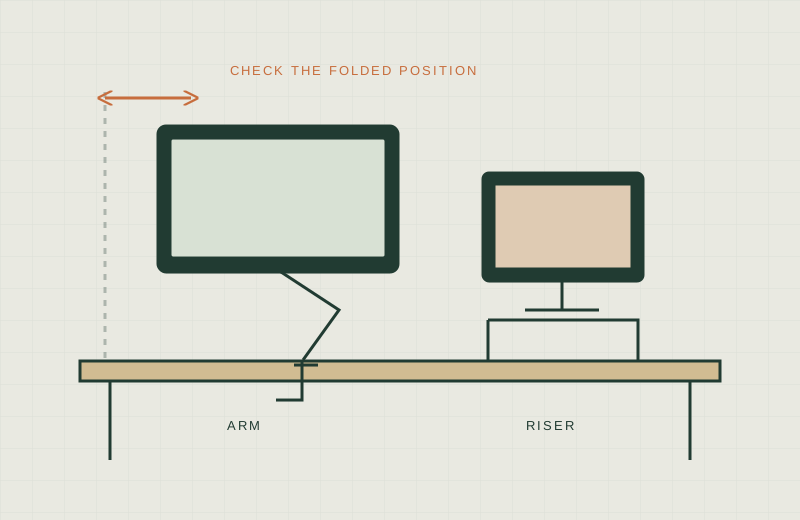
We have not tested these arms hands-on; this comparison is built from manufacturer specifications. Check the current listing and manual before buying.
A thick desktop is great for stability and annoying for hardware. Butcher block or a solid wood slab can run 1.5 in or more, and plenty of arm clamps were designed around 0.75 in office desks. If the jaw opening is too small, the arm will not mount.
So this guide is about one question: which single-monitor arms publish a clamp range that covers a thick top, and what else should you check before ordering? Numbers below come from the sources listed at the end. Where only the Amazon listing states a figure, we say so. Where a spec is not published, we write “not stated”.
How to measure your desktop at the clamp point
Do not trust the thickness you remember from the catalog. Measure where the clamp will actually sit, at the back edge, including any lip, apron, drawer rail or cross brace underneath. A rolled or beveled edge can make the usable thickness different from the slab thickness. Our step-by-step method is in how to measure a small desk, and the short version is:
- Measure thickness with calipers or a tape at the exact clamp position, not mid-desk.
- Check the underside for braces, rails or a keyboard tray track within a few inches of the clamp spot.
- If you plan to use a grommet hole instead, measure the hole diameter and the thickness at the hole.
Clamp ranges compared
Capacities and screen sizes are the published maximums. Always confirm your monitor’s weight without its stand, and its VESA pattern.
| Arm | Clamp range | Grommet | Weight capacity | VESA | Source |
|---|---|---|---|---|---|
| Ergotron LX Single Monitor Arm (matte black, up to 34 in) | 0.4 to 2.4 in (Amazon listing) | Up to 2.25 in thick (Amazon listing) | 7 to 25 lb | 75x75, 100x100 mm | Ergotron datasheet; clamp and grommet per the Amazon listing |
| Amazon Basics Single Monitor Stand (13 to 30 in) | 0.8 to 3.9 in (Amazon listing) | Not stated | Up to 22 lb | 75x75, 100x100 mm | Amazon listing |
| VIVO STAND-V001 Single Monitor Mount (up to 38 in ultrawide) | Up to 3.25 in per the Amazon listing; manual marks the clamp 10 to 85 mm (0.4 to 3.35 in) | Hole 0.4 to 2.36 in (manual) | 22 lb | 75x75, 100x100 mm | VIVO product page and assembly manual |
| Mount-It! Gas Spring Single Monitor Mount (13 to 32 in) | Up to 3.3 in (manufacturer, MI-1771) | Up to 3.3 in (manufacturer, MI-1771) | Up to 20 lb | 75x75, 100x100 mm | Mount-It! product page |
| HUANUO FlowLift Pro Monitor Arm (13 to 32 in) | 0.59 to 3.54 in, wood desks only (Amazon listing) | Not stated | 4.4 to 15.4 lb (Amazon listing) | 75x75, 100x100 mm | Amazon listing; HUANUO product page |
Two cautions. The Ergotron datasheet does not print a clamp range, so that figure is from the Amazon listing. HUANUO’s own page lists a 19.8 lb max load for the model it displays, while the FlowLift Pro Amazon listing states 4.4 to 15.4 lb; treat the lower number as the safe one until you confirm the model. The Mount-It! row uses the manufacturer’s MI-1771 page, so confirm the listing you buy is that model (the Amazon title lists 2.2 to 19.8 lb).
Per-arm notes
- Worth shortlisting if: your top is up to about 2.4 in and you want a published weight range (7 to 25 lb) and a datasheet from the maker.
- Skip if: your slab is thicker than 2.4 in, or you only have a hole to use and it is in a top thicker than 2.25 in.
Amazon Basics Single Monitor Stand
- Worth shortlisting if: you need the widest published clamp range of this group (up to 3.9 in per the listing) at a 22 lb limit.
- Skip if: you want a manufacturer manual to verify against, a grommet option, or a screen above 30 in. Its stated size range is 13 to 30 in.
- Worth shortlisting if: you have a thick top and a larger or ultrawide screen. VIVO lists up to 38 in ultrawides within a 22 lb limit, and the manual documents the grommet hole range.
- Skip if: your monitor is heavier than 22 lb. Also note the Amazon listing and the manual round the clamp maximum slightly differently (3.25 in versus 3.35 in), so plan around 3.25 in.
Mount-It! Gas Spring Single Monitor Mount
- Worth shortlisting if: you want a manufacturer page that gives one number (3.3 in) for both clamp and grommet mounting, plus 13 in of height travel.
- Skip if: your monitor is above 32 in or over 20 lb, or you cannot confirm the listing matches the MI-1771 specs.
- Worth shortlisting if: your desk is solid wood up to 3.54 in and your monitor is light. The listing notes a 15.4 lb ceiling and a 4.4 lb floor.
- Skip if: your desk is not wood, your monitor is under 4.4 lb, or the grommet option matters to you, since no grommet range is stated.
Thick or reinforced tops, and when a clamp is the wrong idea
A wide clamp range answers only the fit question. It does not tell you whether the desktop can take the load. A few cases where a clamp may be the wrong tool:
- Glass tops. Most makers say not to clamp to glass. HUANUO’s listing, for example, recommends wood only. Follow the manufacturer’s material warnings.
- Hollow-core or thin veneered panels. The clamp can crush the core. Many manuals require a solid top, and some ask for a reinforcing plate. Defer to the manual.
- Rolled, waterfall or live edges. The jaw needs a flat, square back edge, and thickness can change along the edge.
For a solid butcher block between roughly 1.5 and 2.4 in, almost any arm in the table fits on paper. Above 2.4 in the field narrows to the arms whose published range reaches 3.25 in or more. Over 3.54 in, none of these publish a clamp range that covers it; look at a bolt-through mount or a wall option instead.
What not to buy
- An arm that does not publish a clamp range at all. “Fits most desks” is not a spec.
- A clamp rated for 2 in when your top is 2 in. Leave margin, because pads, finish and a slightly out-of-square edge eat into the range.
- An arm whose weight range barely covers your monitor. Both floor and ceiling matter for spring tension.
- A heavy arm on a veneered or hollow top without reading the manual’s surface warnings.
Before you commit
Still deciding on the form factor? Read monitor arm vs riser. If your desk sits close to a wall, check monitor arm wall clearance too.
Sources
- Ergotron LX Desk Monitor Arm datasheet: https://media.ergotron.com/reserved/resources/05-056-ea-orig.pdf
- VIVO STAND-V001 product page: http://vivo-us.com/collections/single-monitor-mounts/products/stand-v001
- VIVO STAND-V001 instruction manual (hosted copy): https://manuals.plus/m/de124ad8a0c73ba996c46e7b13075e27e8d73f493b9924b8bbcf9f5cdad570b5_optim.pdf
- Mount-It! MI-1771 product page: https://www.mount-it.com/products/mount-it-gas-spring-single-monitor-desk-mount-mi-1771
- HUANUO FlowLift Pro product page: https://www.huanuo.com/products/huanuo-single-monitor-arm-flowlift-pro
- Amazon listings (clamp, grommet and weight figures where noted): the five product links above, checked 2026-11-18.