Monitor Light Bars vs Clamp Desk Lamps on a Small Desk
Short on desk space? Compare monitor light bars and clamp-on desk lamps by mounting range, reach, power and color temperature, using published specs.
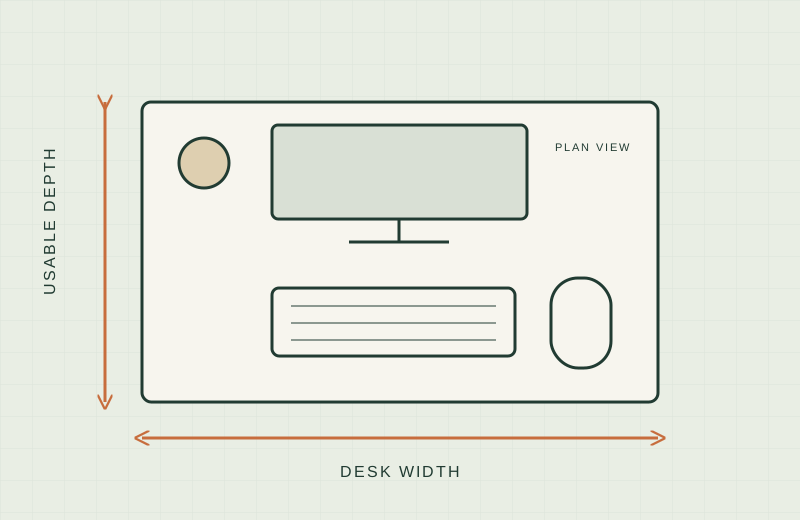
A lamp with a base eats the desk space your keyboard and notebook need. Two product types avoid that: a light bar on top of the monitor, and a lamp that clamps to the desk edge. Each has a fit limit that can rule it out.
We have not tested these lights hands-on; this comparison is built from published specifications. Check the current listing and manual before buying.
Availability was checked on Amazon.com on 18 November 2026. Missing numbers are marked “not stated.”
The trade-off in plain terms
A monitor light bar hangs from the top of the screen on a clip. It uses no desk surface at all, and the light starts above your work area. The catch is fit. Each bar lists a supported monitor thickness, and some list a curvature limit. Bars can also cover a top-bezel webcam unless the maker says otherwise.
A clamp lamp grips the desk edge and extends an arm over your work area. It reaches wider, so it can cover a notebook to one side or two monitors. The catch is that it needs a clear edge of the right thickness.
What to measure first
Our guide to measuring a small desk covers the full method. For lighting, add these:
- Monitor top thickness. Measure the depth of the top edge where a bar would clip, including any bulge, vent or curve.
- Monitor shape. Flat or curved, and any top-bezel webcam.
- Desk edge thickness. Measure the actual edge, including any lip or banding underneath.
- Edge clearance and power. Drawers or a back rod can block a clamp; note your nearest USB port or outlet.
- Window position. OSHA’s workstation guidance suggests placing the monitor perpendicular to windows to limit glare, so check where your window is before choosing a light position. See the OSHA computer workstations page.
Comparison table
| Product | Type | Mounting range | Length or reach | Power | Color temperature | Source |
|---|---|---|---|---|---|---|
| BenQ ScreenBar Pro | Monitor bar | Monitor 0.17 to 2.56 in thick, 1000R to 1800R curve | Bar length not stated; lights a 33.5 x 19.7 in area | USB-C or included 15W adapter | 2,700K to 6,500K | Amazon listing |
| Quntis monitor light bar | Monitor bar | Thickness not stated | 16.1 in (listing chart) | USB, 5V | 3,000K to 6,500K | Amazon listing |
| Xiaomi Mi Monitor Light Bar | Monitor bar | Curved screens 1 to 32 mm thick | Not stated | USB-C port on the bar | Adjustable, range not stated | Amazon listing |
| Mount-It! Monitor Light Bar | Monitor bar | 0.25 to 2.36 in flat, up to 1.5 in curved | 16.5 in wide | USB | 3,000K to 6,000K | Amazon listing |
| BenQ ScreenBar Max 33” | Desk clamp, wide light head | Desks up to 2.4 in thick | 33 in light head | Included adapter, 100 to 240V | 2,700K to 6,000K | Amazon listing |
| UPLIFT Desk E7 LED Clamp Lamp | Clamp lamp | Surfaces up to 2.25 in thick | Reach not stated | Included power adapter | 3,000K, 4,000K, 5,000K | Amazon listing |
| Globe Electric 12641 Architect 32” | Clamp lamp | Desk edge up to 2 in | 32 in swing arm | Plug-in, 6 ft cord, 10W LED bulb included | Bulb listed at 3,000K | Amazon listing |
Figures are as read on the Amazon listings on 18 November 2026; we did not use manufacturer pages.
Per-product notes
BenQ ScreenBar Pro
The listing states a clamp that fits curved screens from 1000R to 1800R and describes a shape that stays clear of built-in cameras. Power is USB-C or an included 15W adapter.
- Worth shortlisting if your monitor top is thin or curved or has a bezel webcam.
- Skip if your monitor top is thicker than 2.56 in or you want a plain, low-spec bar. The bar length is not stated, so confirm it fits your screen width.
Quntis monitor light bar
A weighted clip sits on top of the monitor. The listing states USB power and touch control.
- Worth shortlisting if you have a standard flat monitor and want a USB bar.
- Skip if you need a stated thickness limit or curved-screen support. Neither is stated in the text we read. Check the camera clearance as well.
Xiaomi Mi Monitor Light Bar
The listing describes a clip that suits curved screens with a thickness of 1 to 32 mm, with or without a bezel. It has a USB-C port and a remote.
- Worth shortlisting if you have a thin-bezel monitor and like a separate remote, so the controls stay off the bar.
- Skip if you need a stated length or color temperature range, or a monitor with a top-center camera.
Mount-It! Monitor Light Bar
At 16.5 in wide, this bar has a stated clip range of 0.25 to 2.36 in for flat screens and up to 1.5 in for curved ones. It is USB powered with four color temperatures from 3,000K to 6,000K.
- Worth shortlisting if your monitor is flat or lightly curved and you want the thickness limits spelled out.
- Skip if your curved monitor is thicker than 1.5 in.
BenQ ScreenBar Max 33”
This is a clamp lamp rather than a monitor-top bar. The listing states a 33 in light head, a clamp for desks up to 2.4 in thick, and a 3.5 x 2.8 in clamp footprint. For glass, irregular or thicker desks, a base is sold separately.
- Worth shortlisting if you run two monitors or a wide screen and have a clear desk edge.
- Skip if your edge is thicker than 2.4 in, or you want a low-cost option.
UPLIFT Desk E7 LED Clamp Lamp
An aluminum swivel-joint lamp with a clamp rated to 2.25 in, three color settings and a power adapter.
- Worth shortlisting if you want a simple clamp lamp with a stated edge limit.
- Skip if you need a stated arm reach. It is not given in the text we read.
Globe Electric 12641 Architect 32”
A spring-loaded architect lamp with a 32 in arm, a metal clamp for edges up to 2 in and a 6 ft cord.
- Worth shortlisting if you want a conventional clamp lamp with a long arm and a plug-in cord.
- Skip if you want USB power, a color temperature choice or a built-in dimmer. None is stated.
When this product type is the wrong choice
- Thick or curved monitor tops. If your top edge is thicker than the listed range, or has a vent or lip, a bar may not sit securely.
- Webcam in the top bezel. Unless the maker says the shape clears the camera, a bar can block it.
- Frames at the desk edge. Drawers or a back rod block clamps. For thick desks, see monitor arms for thick desks.
- A monitor on an arm. Light bars add weight at the top. Check your arm’s load range in the manual first. See monitor arm vs riser.
What not to buy
- A bar with no stated thickness range if your monitor is unusual.
- A clamp lamp whose range is smaller than your edge.
- Anything currently unavailable. The BenQ ScreenBar Halo and Halo 2 listings showed as unavailable on 18 November 2026, so we left them out.
For cords, see our clamp-on cable trays guide. Follow each maker’s manual for mounting and power.
Sources
Product pages, read 18 November 2026:
- BenQ ScreenBar Pro: https://www.amazon.com/dp/B0CZ9P1QW9/
- Quntis: https://www.amazon.com/dp/B08DKQ3JG1/
- Xiaomi Mi: https://www.amazon.com/dp/B08W2C5W59/
- Mount-It!: https://www.amazon.com/dp/B0DM6RWFLF/
- BenQ ScreenBar Max: https://www.amazon.com/dp/B0H3CLG3T8/
- UPLIFT Desk E7: https://www.amazon.com/dp/B0821SZG5J/
- Globe Electric: https://www.amazon.com/dp/B01BTRYW9W/
- OSHA workstation guidance: https://www.osha.gov/etools/computer-workstations