Monitor Risers With Storage: Footprint and Height Compared
Compare six monitor risers with drawers or shelves by footprint, height, load and material, and check whether the screen ends up too high on a small desk.
We have not tested any of these risers hands-on. Everything below comes from Amazon listings, so treat the numbers as the seller’s claims and confirm them before buying.
A riser with a drawer sounds like a double win on a small desk: the screen goes up and the pens, cables and sticky notes go out of sight. The catch is that the riser sits on the same surface you need for your keyboard. Every inch of depth it takes is an inch you lose, and every inch of height raises the screen, which may already be high enough.
What to measure first
Before comparing anything, follow How to Measure a Small Desk. For risers you need three numbers:
- Usable depth, front edge to wall or to the closest thing behind the monitor.
- Your monitor’s base footprint and height, including how tall the screen is above the desk without a riser.
- Seated eye height, measured from the desk surface.
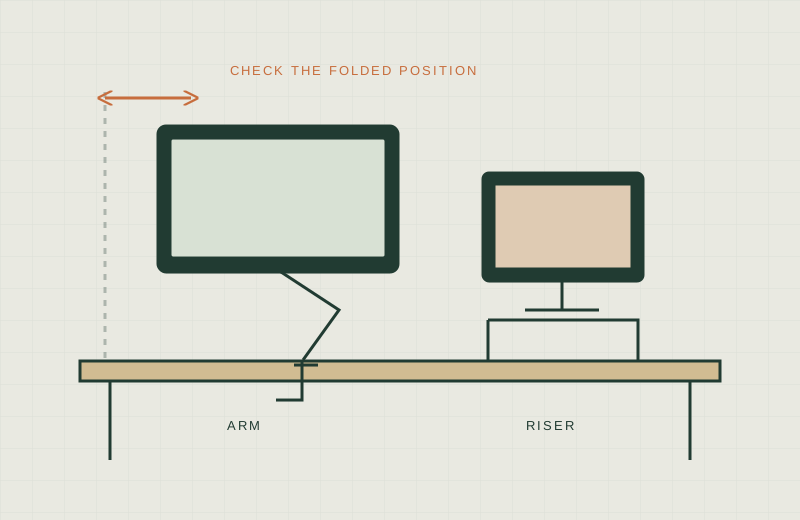
OSHA’s monitor guidance says the top of the screen should be at or below eye level, with the screen about 20 to 40 inches from your eyes. A riser raises the screen by its listed height, so add that to your monitor’s current top edge. If the top edge is already near your eyes, any riser makes it worse. For a deeper comparison with arms, see Monitor Arm vs Riser.
Comparison
Footprint is width x depth in inches. “Height” is the riser’s own height, which is how much it lifts the monitor’s base. Load and material are as stated; “not stated” means the listing gives no figure.
| Riser | Footprint (W x D) | Height | Load | Storage | Material | Source |
|---|---|---|---|---|---|---|
| Simple Trending 16” | 16 x 10 | 6.25 | 33 lbs | 1 drawer, open shelf | Metal | Amazon listing |
| Simple Trending 20” | 20 x 10 | 5.8 | not stated | 1 drawer, 2 pen holders, open shelf | Metal | Amazon listing |
| Mount-It! mesh riser | 15.8 x 11.8 | 4.7 | 30 lbs | Pullout drawer, top tier | Metal mesh | Amazon listing |
| valen 3-drawer | 19.5 x 7.5 | 4.7 | 45 lbs | 3 small drawers, open shelf | MDF (engineered wood) | Amazon listing |
| BEYGORM 21.6” | 21.6 x 7.8 | 5.2 to 5.3 | 80 lbs | 2-tier shelf | MDF (engineered wood) | Amazon listing |
| ROCDEER bamboo | 23.6 x 7.9 | 4.5 | 100 lbs | Drawer, lower shelf | Bamboo | Amazon listing |
Listing dimensions can differ slightly between the title and the details table, so read the exact variant you pick. None of the listings gives a user-adjustable height. Each is a fixed lift.
Depth used versus keyboard space
The depth column matters most on a shallow desk. The valen, BEYGORM and ROCDEER risers are under 8 inches deep, so a typical monitor base may sit partly on them or overhang, which is something to check against your monitor’s own footprint. The Mount-It at 11.8 inches deep and the Simple Trending models at 10 inches deep take more room, but they leave less to overhang.
Where does the keyboard go? The ROCDEER listing says the space below fits keyboards up to 18 inches and mice up to 1.4 inches high. The other listings describe an open lower area but do not give clearance figures, so compare your keyboard’s size with the opening before you rely on it. Sliding a keyboard under a riser also only works if the riser is deeper than the keyboard or the keyboard can stick out the front.
Will the screen be too high?
Add the riser height to your monitor’s top edge. Examples from the table: a 4.5 inch riser adds 4.5 inches; the 6.25 inch Simple Trending adds nearly 2 inches more than that. Whether that is too much depends on your chair, your desk height and your monitor. If your eyes sit about level with the top of your screen today, none of these will fit OSHA’s guidance without lowering something else. A smaller laptop on a riser is a different calculation from a 27 inch monitor.
Worth shortlisting if / skip if
Simple Trending 16” (B09NFQML72)
- Worth shortlisting if you want a narrow 16 inch footprint with a stated 33 lb load and a metal build.
- Skip if your monitor base is wider than 16 inches, or if 6.25 inches of lift would put the top edge above your eyes.
Simple Trending 20” (B088NHGC48)
- Worth shortlisting if you want the same 10 inch depth with 4 more inches of width and a slightly lower 5.8 inch lift.
- Skip if you need a stated weight limit, since the listing gives none.
Mount-It! mesh riser (B086CTMGVY)
- Worth shortlisting if you want a lower 4.7 inch lift and a laptop-sized footprint with a stated 30 lb capacity.
- Skip if your desk is shallow, because 11.8 inches is the deepest in this list, or if your monitor is heavy.
valen 3-drawer riser (B08G12QSN1)
- Worth shortlisting if you want several small drawers for loose items in only 7.5 inches of depth.
- Skip if you plan to put a large monitor on it, since 45 lbs is the stated limit and the surface is only 7.5 inches deep.
BEYGORM 21.6” riser (B08YRWP7B8)
- Worth shortlisting if you want a wide, shallow shelf with an 80 lb stated load for a monitor and a keyboard stored beneath.
- Skip if you need a drawer, because the listing describes a two-tier shelf.
ROCDEER bamboo riser (B0F8VN5T7K)
- Worth shortlisting if you want the lowest lift here (4.5 inches) and a stated keyboard clearance of 18 inches.
- Skip if you need under 23 inches of width, or if your desk is too narrow for a 23.6 inch footprint.
When a riser is the wrong choice
- Your desk is under about 20 inches deep and you use a full-size keyboard on the surface.
- Your monitor’s top edge is already at or above your eyes.
- You want to adjust the screen’s height or distance often. See Monitor Arms for Thick Desks if a clamp is an option.
- You are putting a heavy display on a stand whose load figure is not stated.
What not to buy
- A riser deeper than the space you can spare, whatever the storage.
- A riser whose height you did not add to your monitor’s top edge.
- A stand with no stated weight limit for a heavy monitor.
- A drawer you will not use. An empty drawer is just extra height and footprint.
Before you decide, read the manufacturer’s page where one exists, and check cord routing against No-Drill Cable Management.