Cable Spines for Standing Desks: Six Vertebrae Chains Compared
A cable spine guides cords from floor to a desk that rises and lowers. Compare six by length, channels, attachment method and whether links come off.
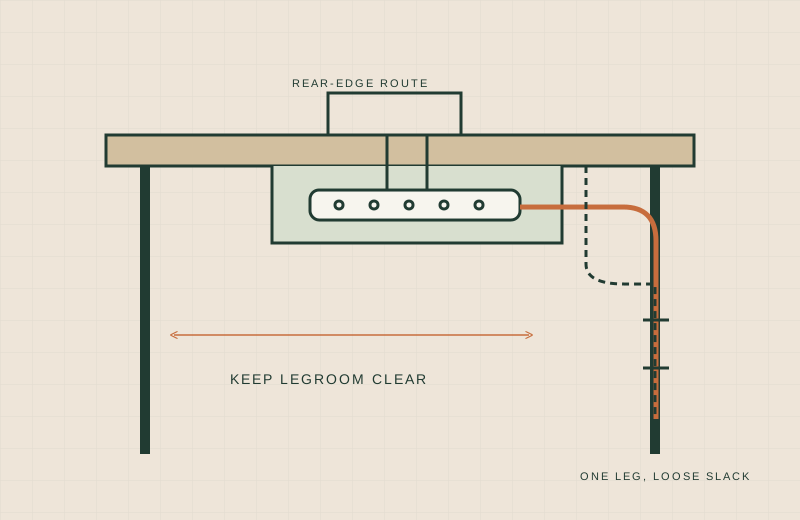
On a standing desk, cables have a problem a fixed desk never has. The desktop moves several inches to a couple of feet, and anything fixed tight to the leg either gets pulled or hangs in a loop. A cable spine (also called a vertebrae chain) is a string of snap-together links that holds cords in a column from the floor to the desk and bends as the desk travels.
We have not tested these spines hands-on; this comparison is built from published specifications. Check the current listing and manual before buying.
Below are six spines from six brands. Missing numbers are marked “not stated”; only VIVO’s row comes from a manufacturer page. Availability was checked on Amazon.com on 18 November 2026 and can change.
What to measure first
Use our guide to measuring a small desk for the basics, then add these spine-specific checks:
- Slack at full height. Raise the desk to its highest setting and measure from the floor to the underside of the desktop. The spine, or the cords inside it, must reach that far. Then lower the desk and picture where the extra length goes.
- Pinch points. Look at every place the moving desk passes a fixed object: the leg’s inner column, a drawer unit, a wall, a chair arm. Cords and links should never sit between two surfaces that close on each other as the desk travels. Run the desk through its full range slowly, with nothing plugged in, and watch the spine.
- Attachment surface. Clamps need a stated desktop thickness. Magnets need a steel leg or surface. Adhesive needs a clean, smooth area. Screws need enough thickness to hold.
Comparison table
| Spine | Length or range | Channels | Attachment | Links removable | Source |
|---|---|---|---|---|---|
| VIVO Clamp-on Vertebrae Kit | 4 ft | 4-way entry | C-clamp (0.4 to 2.0 in desktop); screw optional (1 in or thicker); 5 in steel base | Yes, per VIVO | VIVO product page |
| StarTech.com Spine Cable Management (CMVBMOD) | Not stated | 4 | Weighted base plate on the floor | Not stated | Amazon listing |
| Vwindesk Vertebrae Spine | 50 in, 30 segments | 4 | Metal weighted base | Yes, add or remove segments | Amazon listing |
| Ultimate Setup Magnetic Spine | 133 cm (about 52 in) | Not stated | Magnetic, to the table leg | Yes, can be shortened | Amazon listing |
| Aweking Magnetic Spine | Flexes from 25 in to 52.36 in | Not stated | Magnetic caps, 3M VHB pads or screws | Adjustable length | Amazon listing |
| VALU Cable Spine, 49 in | 49 in (125 cm) | Not stated | Steel base with non-slip pads, plus a magnetic link to the desk foot | Not stated | Amazon listing |
Per-product notes
VIVO Clamp-on Vertebrae Kit
VIVO’s page lists a 4 ft strip of 2.6 x 1.4 inch links, 4-way channel entry, a steel and plastic build, and a 5 inch base. It clamps to desktops 0.4 to 2.0 inches thick, or screws on if the desktop is at least 1 inch thick. The Amazon listing linked here is the white version, and VIVO sells a black one as well.
- Worth shortlisting if you want the spine tied to the desktop, so it travels with it, and your desktop falls in the clamp range.
- Skip if you have a thick or curved edge, or the back of the desk has a frame rail where a clamp needs to sit.
StarTech.com Spine Cable Management (CMVBMOD)
The listing describes four internal channels that keep power and data cords apart and a weighted base plate that rests on the floor. Length is not stated in the text we read.
- Worth shortlisting if you prefer a floor-anchored spine with no clamp or magnet, and you can confirm the length on the page.
- Skip if your desk gets close to the floor or your cords need clamp-style support at the top.
Vwindesk Vertebrae Spine
A 50 inch strip of 30 segments, 2.6 inches wide and 1.4 inches deep, with four channels and a metal weighted base. The listing says you add or subtract individual vertebrae to set the length.
- Worth shortlisting if you want a long, shortenable spine and the weight to stay put on the floor.
- Skip if you want to attach it to the desk. The listing text we read does not describe a desk-side mount.
Ultimate Setup Magnetic Spine
A 133 cm spine that attaches to the table leg with magnets and can be shortened. The listing does not state a channel count or magnet strength.
- Worth shortlisting if your legs are steel and you want a no-drill attachment.
- Skip if your legs are aluminum, plastic or wood. Magnets will not hold on those.
Aweking Magnetic Spine
The listing states a flex range of 25 to 52.36 inches, rubber-coated magnetic caps with a 22 lb pull force, 3M VHB tape or screws as alternatives, and a latch that holds cords in. Channel count is not stated.
- Worth shortlisting if you want to choose between magnet, tape or screws depending on your desk.
- Skip if you need a channel count to plan separate routes for power and data.
VALU Cable Spine, 49 in
A 49 inch spine with a steel base and non-slip pads, plus a magnetic link to attach to the desk foot. The listing does not say whether links come off.
- Worth shortlisting if your desk has a steel foot and you want a free-standing base with a magnet as support.
- Skip if you need a stated channel count or the option to shorten links.
Keep the power strip off the floor
A spine tidies the cord path, but it does not fix a strip sitting in the dust. A strip mounted under the desk shortens the runs and keeps plugs away from your feet. Our clamp-on desk power strips guide covers options that grip the desk edge, and the clamp-on cable trays guide covers trays that hold a strip underneath.
This is general guidance, not electrical installation advice. Check manufacturer manuals for mounting and load limits. Follow the strip maker’s instructions, avoid covering a strip so heat cannot escape, do not daisy-chain strips, and ask a qualified electrician about anything involving fixed wiring.
When a spine is the wrong choice
- You have only two or three thin cords. A short sleeve or clips along the leg may do the job. See our no-drill cable management guide.
- Your desk has a low maximum height and a long spine would pile up on the floor.
- A crossbar, drawer or wall sits right behind the leg. A column of links needs a clear path.
What not to buy
- A spine shorter than your floor-to-desktop distance at full height.
- A clamp spine if your desktop thickness is outside the stated range, or not stated.
- A magnetic spine for a leg you have not checked with a magnet.
- Listings that show as unavailable. The Mount-It! Cable Management Spine, the Yaomiao 2-pack and the clamp-on ARES WING spine showed as unavailable on 18 November 2026, so we left them out.
Sources
Read 18 November 2026:
- VIVO: https://vivo-us.com/products/desk-ac01p-b and https://www.amazon.com/dp/B0CM6XJ4B4/
- StarTech.com: https://www.amazon.com/dp/B072JZNKBC/
- Vwindesk: https://www.amazon.com/dp/B086YMX6W3/
- Ultimate Setup: https://www.amazon.com/dp/B0DGQHQCBY/
- Aweking: https://www.amazon.com/dp/B0GJFZNL12/
- VALU: https://www.amazon.com/dp/B0F1V7CDJY/